Harvester UI · Reviewed
Deleting several VMs keeps their disks when the box says so
When users delete several VMs at once, the dialog has a box to delete their disks too. Today that box opens unticked, needs two clicks, and is ignored anyway: every disk is deleted. With this fix the box opens ticked, one click changes it, and unticking it really keeps the disks.
What changes for the user
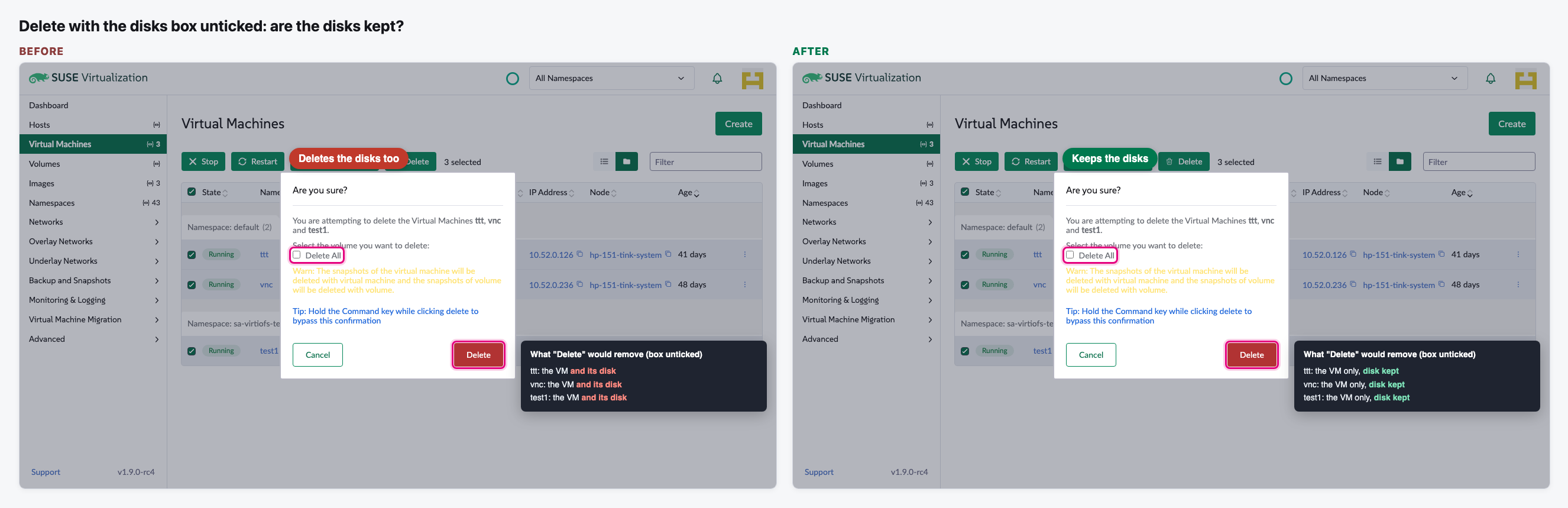
- Today, deleting several VMs at once always deletes their disks too, even when the "Delete All" box is unticked. Users can lose data they meant to keep.
- With the fix, unticking the box keeps the disks. Ticked, the disks are deleted as before.
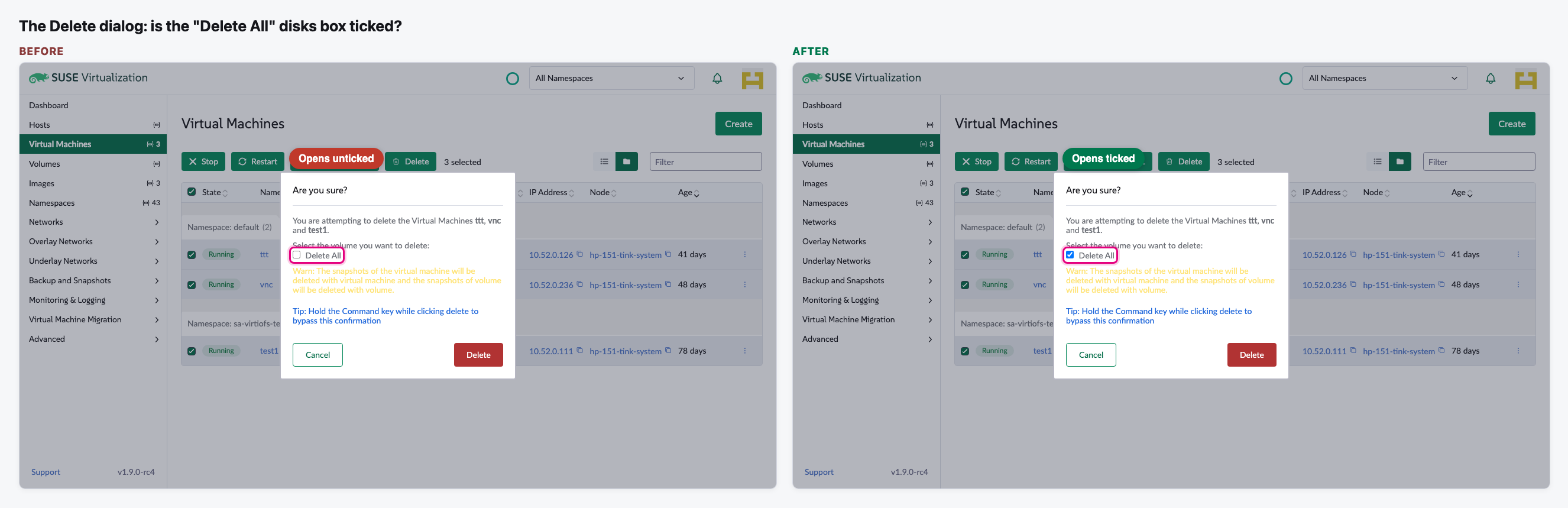
- The box now opens ticked, so it shows what will happen. Before, it opened unticked.
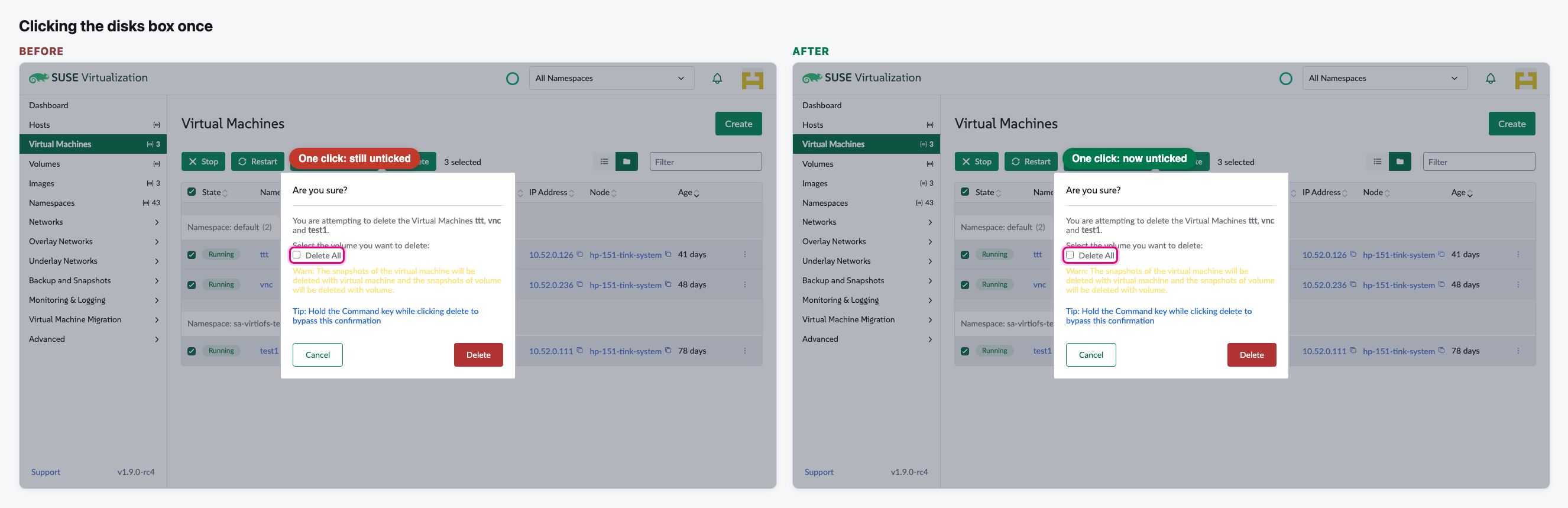
- One click changes the box. Before, the first click did not stick and users had to click twice.
- The bug has been in every Harvester UI extension release since mid-2024. Deleting a single VM was not affected.
Needs a decision
- This is a data-loss bug in every release, but the issue sits at low severity (severity/4) in v1.10.0. Should we ask to raise its priority and backport the fix to current releases?
The flow
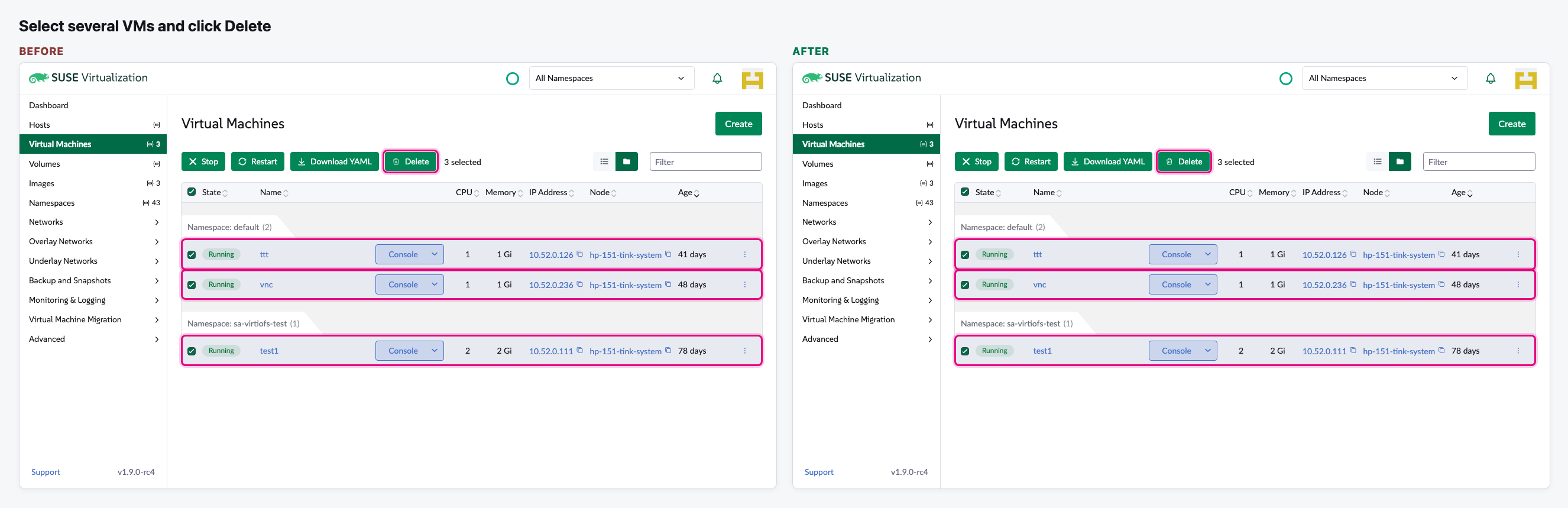
Select several VMs and click Delete
We select three VMs on the Virtual Machines list and click Delete. This part is the same on both sides.
The dialog opens: is the disks box ticked?
The "Delete All" box decides if the VMs' disks are deleted too.
Click the box once
Before, the first click did not stick. After, one click changes it.
Delete with the box unticked: are the disks kept?
We confirm with the box unticked and look at what Delete asks Harvester to remove.
Video (optional)
0:00 Before · 0:24 After · 0:55 The VMs are still there
Notes
- How we checked: earlier today we deleted throwaway VMs for real on our test Harvester, both in standalone Harvester and in the Harvester extension inside Rancher 2.16. Without the fix, the disks were deleted with the box unticked. With the fix, unticking kept them, and leaving it ticked deleted them.
- The images and the video on this page were made without deleting anything: the delete was stopped in the browser, and we checked afterwards that all three VMs were still there.
- Our review: the fix is right. We asked the author to add a unit test, so the review is "Changes requested".
- The fix comes from a community contributor and is one line. It has been open since September with no review from a Harvester maintainer.